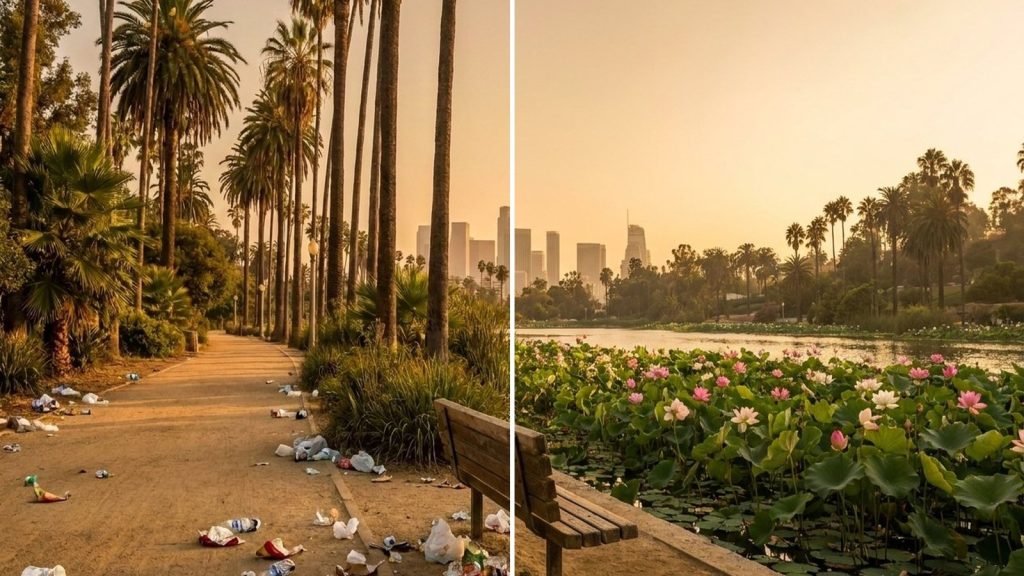
You cleaned a spot. Now show Los Angeles what you did. Sharing takes about two minutes: two photos, where you cleaned, and your name. You do not need an account or an app, and it works on any phone or computer.
Open the Share Your Cleanup form
Before you start
Take your two photos
- Take the before photo first, before you pick anything up.
- When you finish, stand in the same place and take the after photo from the same angle.
- Hold the phone sideways (landscape) if you can.
- Try not to show other people’s faces or car license plates.
- Any phone photo works. We shrink large photos for you.
Stay safe
- Wear gloves. Stay on the sidewalk, away from traffic and freeway ramps.
- Never pick up needles, broken glass by hand, or anything that looks hazardous. In the City of Los Angeles, report it through MyLA311 (call 311).
- Leave other people’s belongings alone, even if they look abandoned.
- Put your bags in your own trash bin or a public litter can, not in a private dumpster.
- Under 18? Ask a parent or guardian first.
Step 1: Open the Share Cleanup page
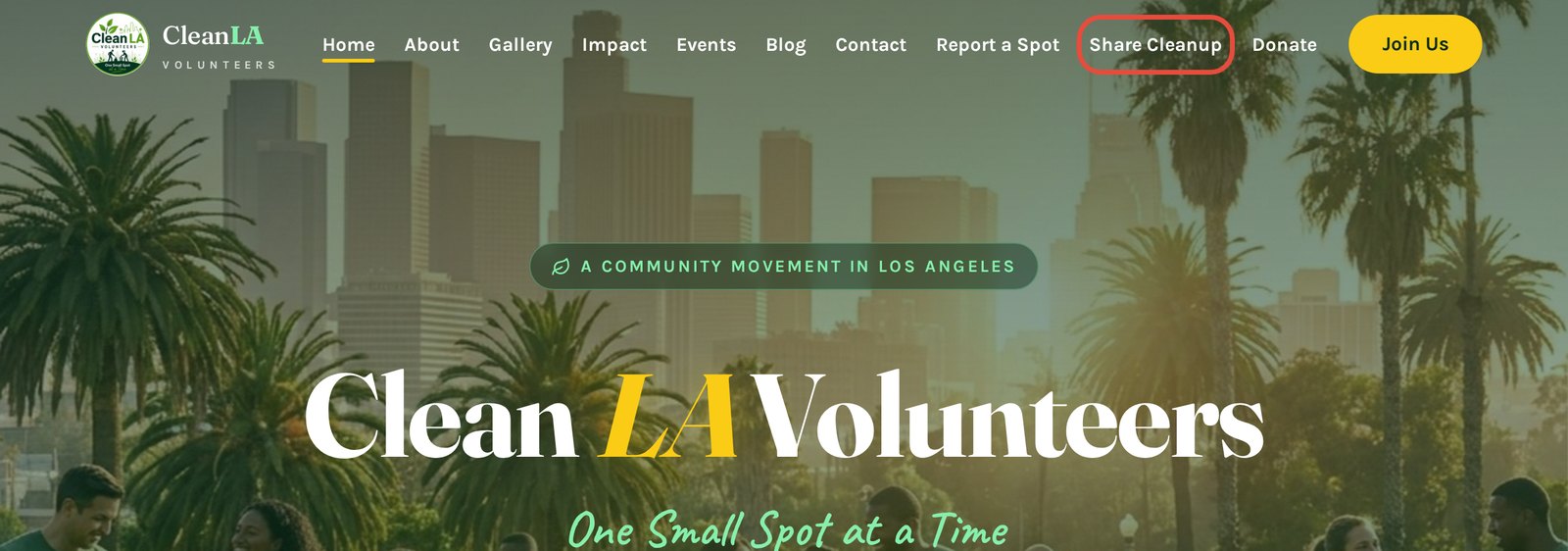
Go to cleanlavolunteers.org and choose Share Cleanup in the menu. On a phone, tap the menu button (three lines) first.
Step 2: Add your two photos
Tap Choose File under Before photo and pick your before picture. Do the same under After photo. A preview appears, and you will see ✓ Ready under each photo.
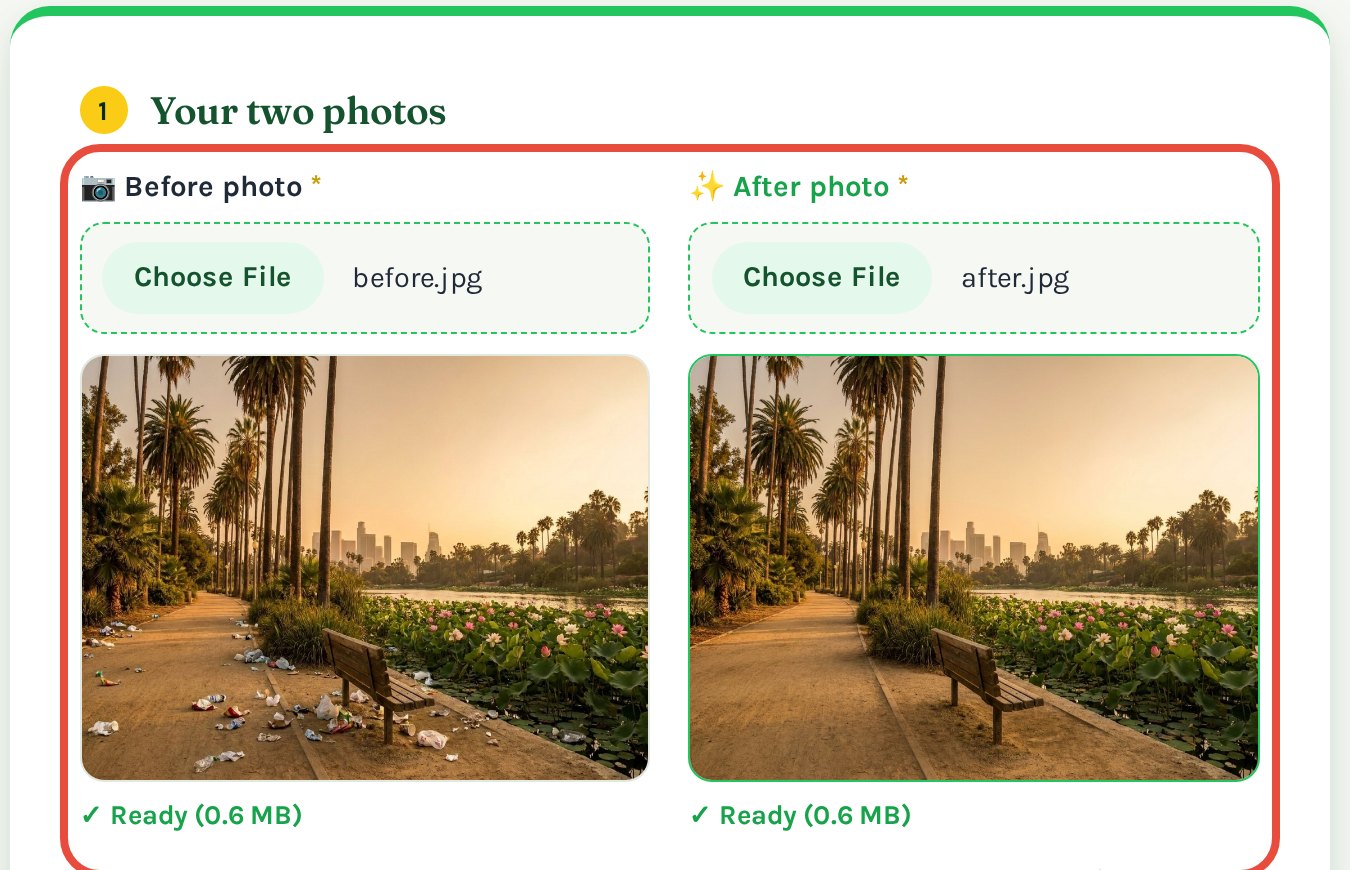
Tip: Check the previews. The messy photo goes on the left, the clean one on the right. Picked the wrong one? Just tap Choose File again.
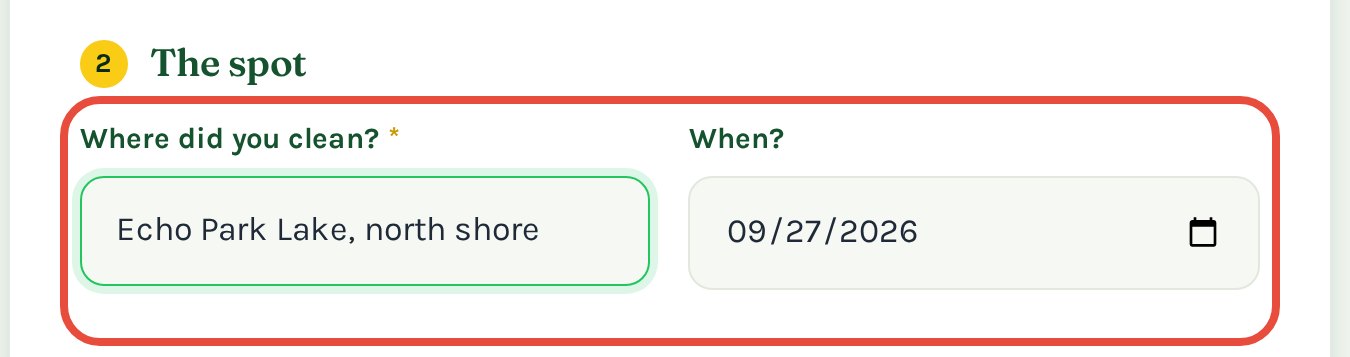
Step 3: Say where and when
Type where you cleaned, such as a street corner, park name, or bus stop. The date fills in by itself from your photo. Change it if it is wrong.
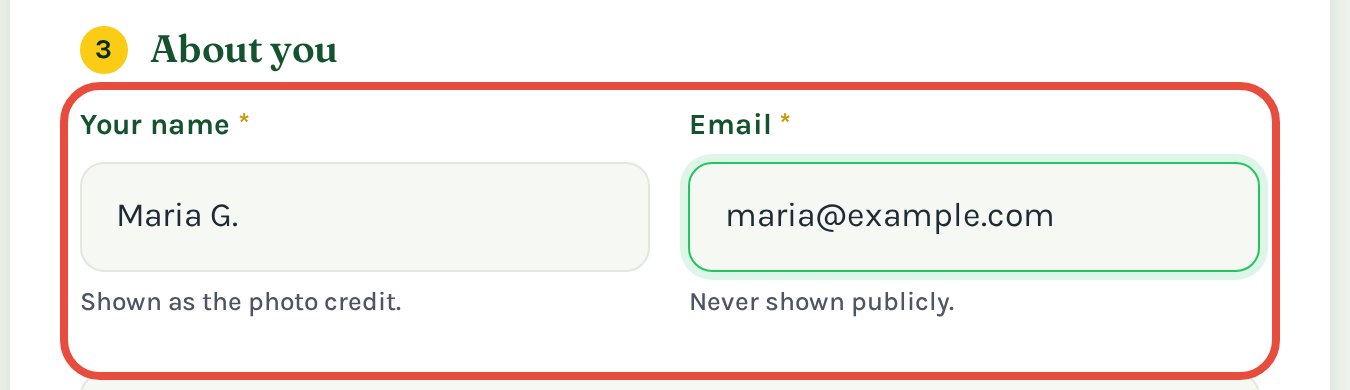
Step 4: Add your name and email
Your name is shown next to your photos as the credit. A first name or a nickname is fine. Your email is never shown on the site.
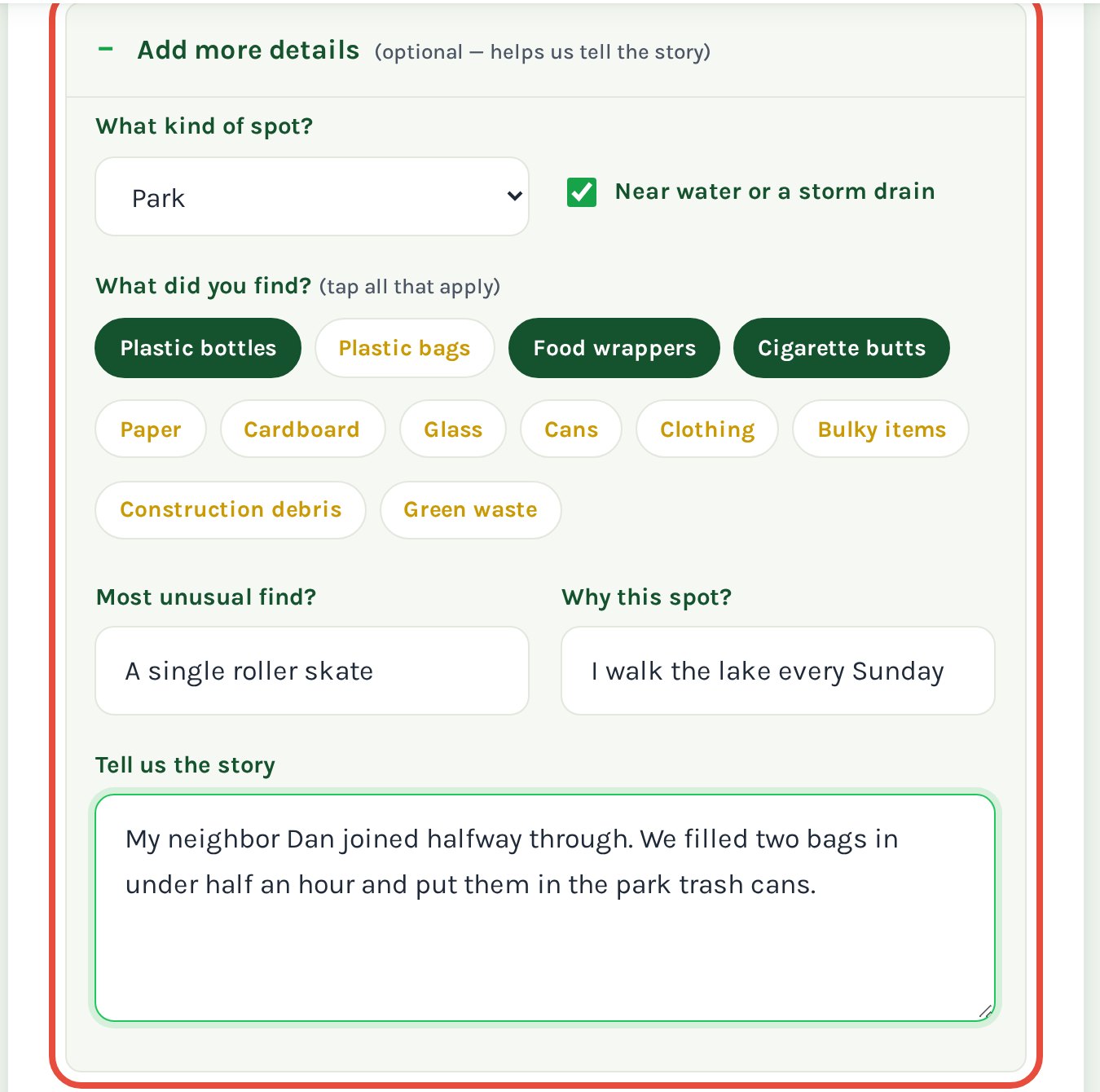
Step 5: Add more details (optional)
Want to tell the story? Tap Add more details. You can say what kind of spot it was, what you found, and anything fun that happened. Skip this step if you are in a hurry.
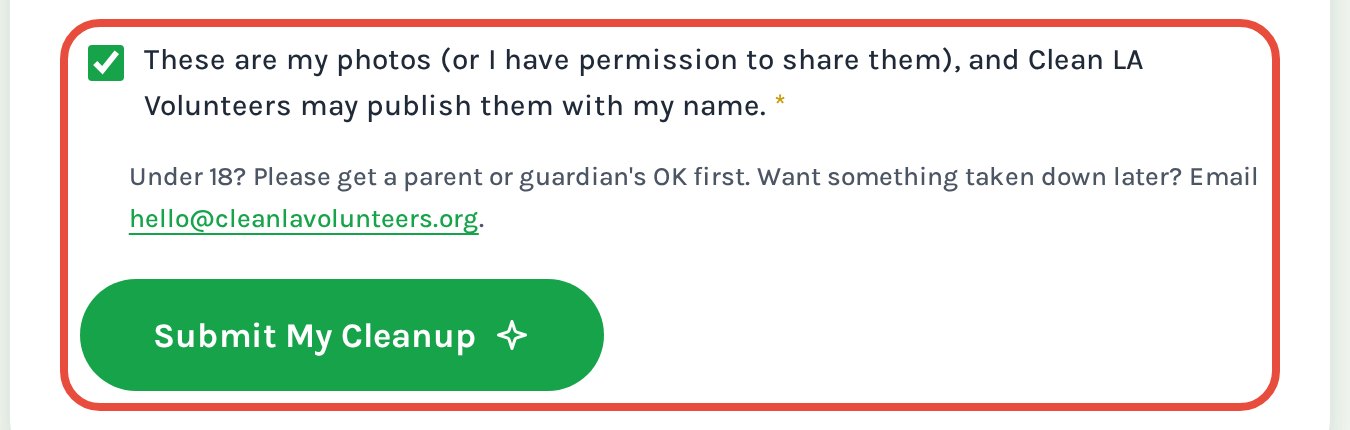
Step 6: Tick the box and submit
Tick the box to confirm the photos are yours and that we may publish them with your name. Then tap Submit My Cleanup and keep the page open until it finishes.
Step 7: Look for the green message
When you see this message, we have your cleanup. You are done.
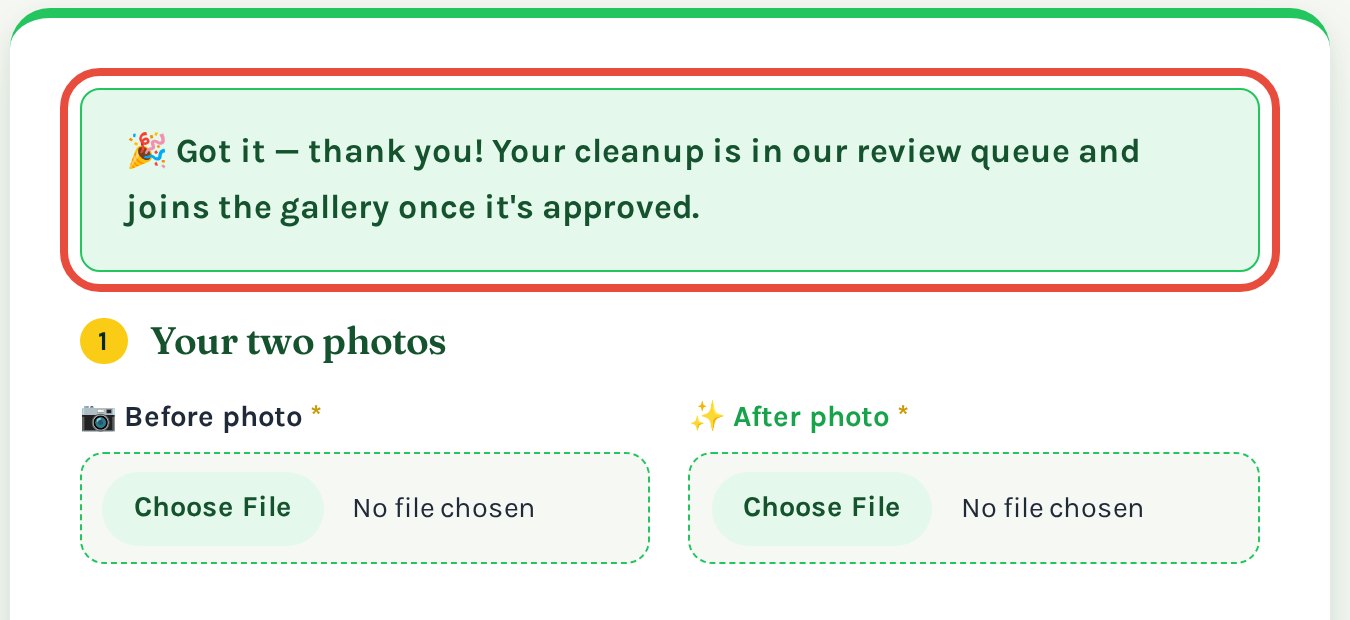
Red message instead? Read what it says. Most often a photo was missing or was not a JPG, PNG or WebP picture. Add the photos again and resubmit.
What happens next
- We review it. A person looks at every submission before it goes public.
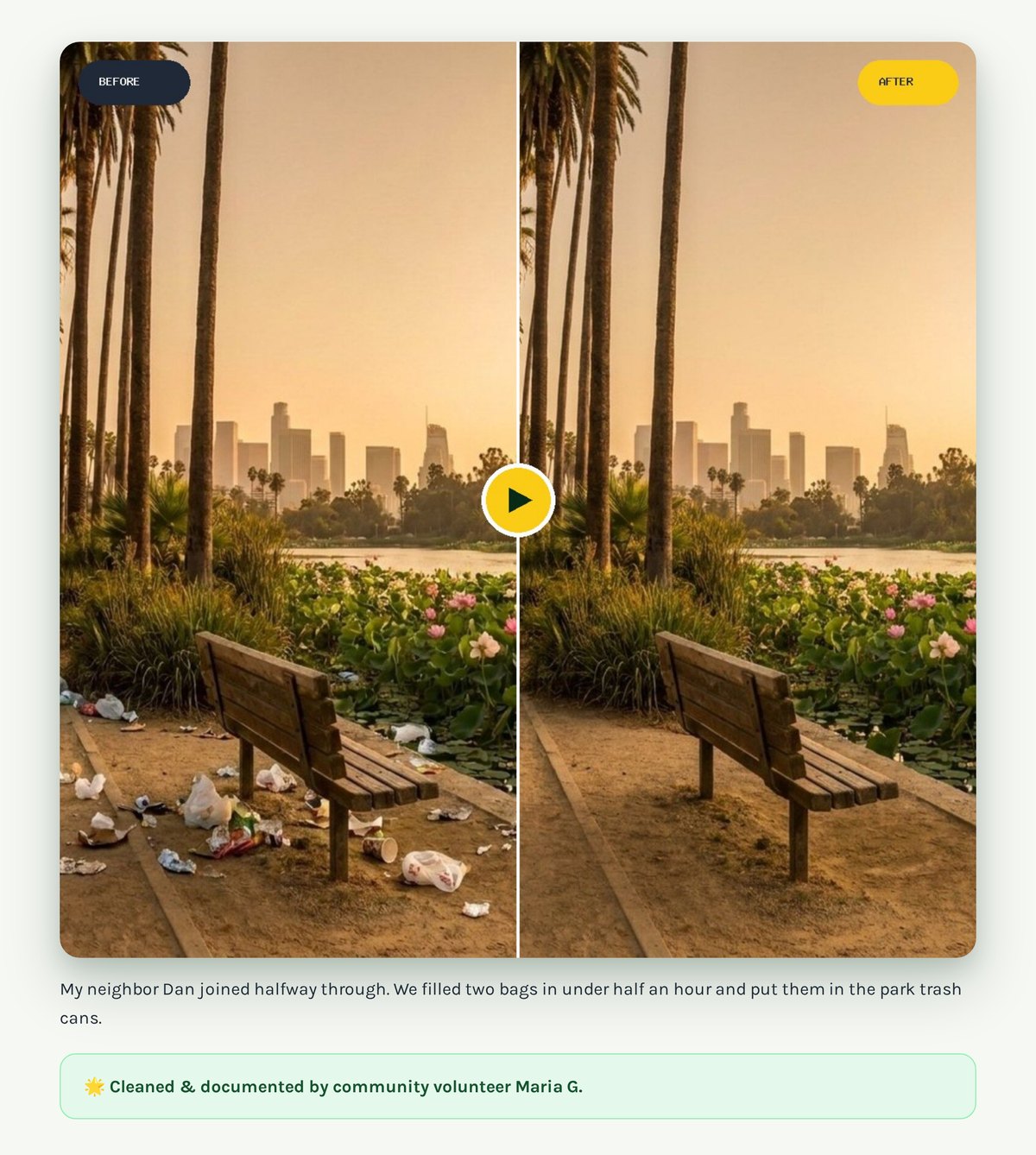
- It joins the gallery. Your before and after appear side by side on their own page.
- You get the credit. Your name is shown under the photos, as in this example.
Common questions
Is my location or email shared?
No. We remove hidden location data from your photos, and your email is never shown.
Can I share more than one cleanup?
Yes. Send the form again for each spot.
Can I have my photos taken down?
Yes, at any time. Email hello@cleanlavolunteers.org and we will remove them.